
NEW
Cyanview Studio
Camera control and live shading software (macOS / Windows)
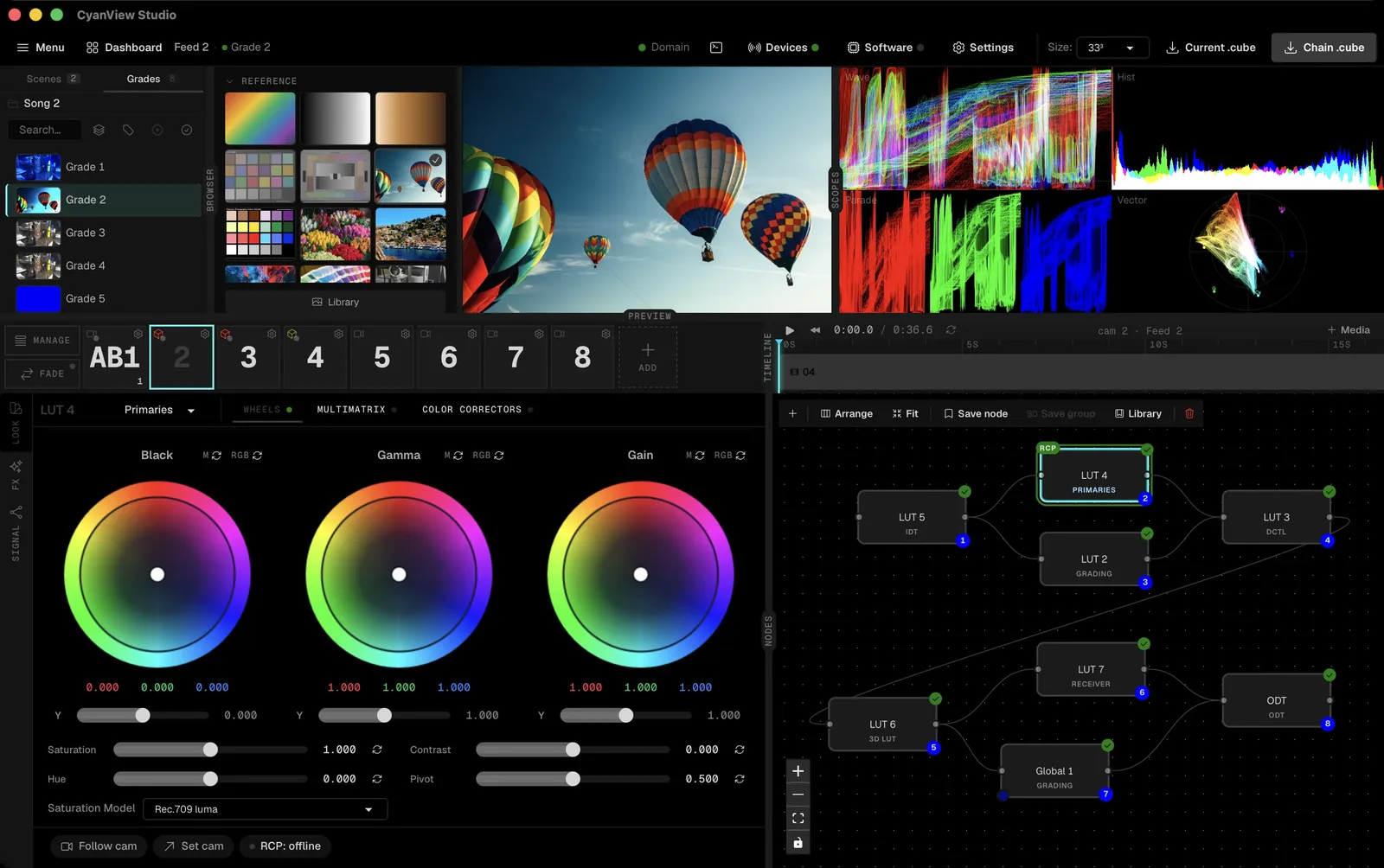
Cyanview Studio is a desktop application that controls every Cyanview RCP and RIO on the network. Settings for more than 210 supported camera models are shown on a single dashboard and can be adjusted on the spot.
With shading that generates 3D LUTs in real time, DCTL support and live video processing with OpenFX plugins, it brings the color work needed for broadcast and cine-style live production into one application.
|
210+
Camera models
|
72+
Control components
|
35+
Color spaces
|
65³
LUT output
|
Request early access (Cyanview) Contact Us
Key Features
01 Multi-camera control
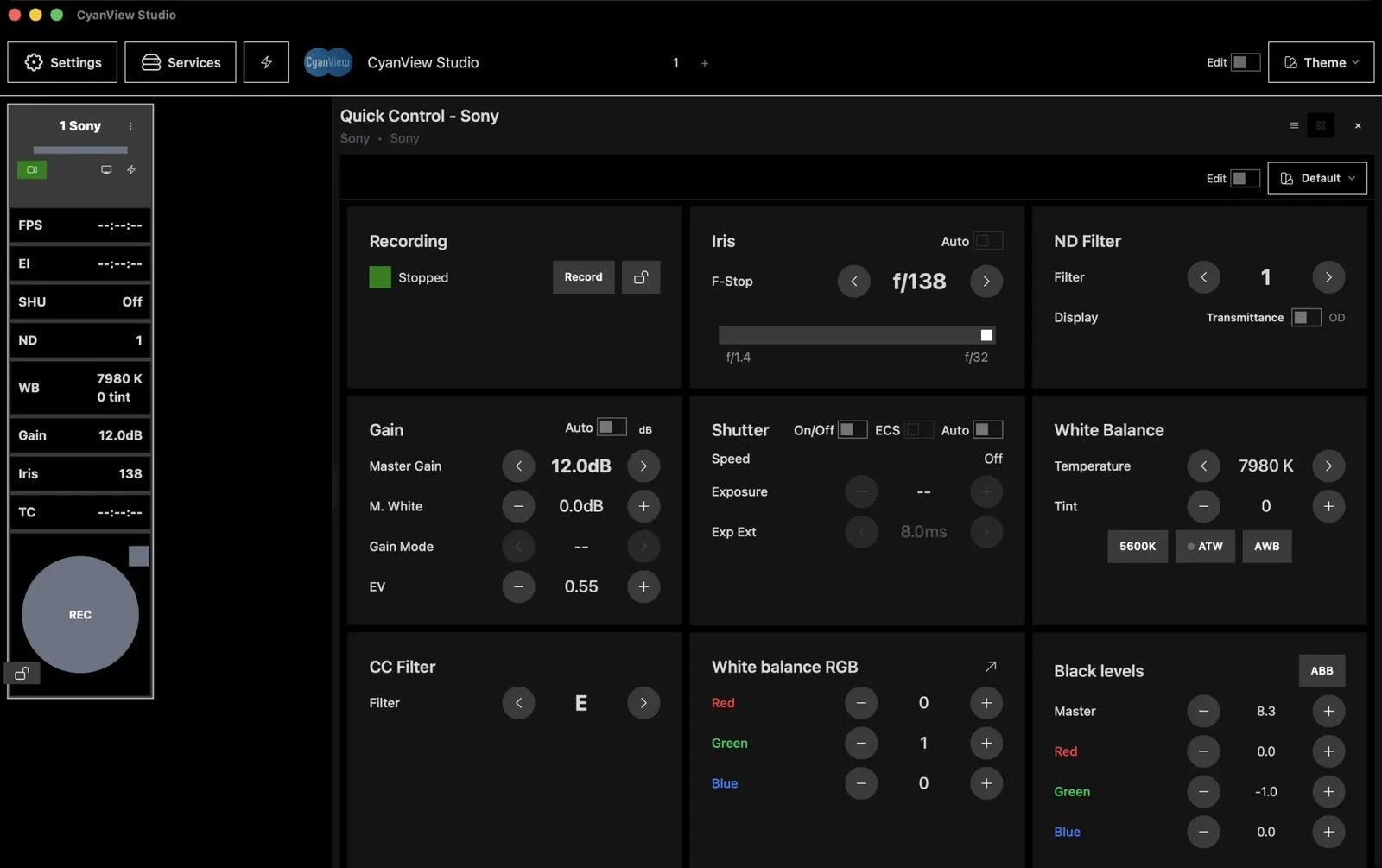
- Control every RCP and RIO on the network from one desktop application.
- All camera values appear on a single dashboard. Group cameras into scenes and build your own grids and quick-control panels.
- Use controls the RCP itself does not offer, such as CDL wheels and macro pads.
- Supports cameras from Sony, ARRI, Canon, RED, Panasonic, Blackmagic and more than 20 other brands through the RCP.
02 LUT fade
- Change looks on air without a visible jump.
- New 3D LUTs, grades, DCTLs, IDT/ODTs and gallery presets are interpolated on the device over a set number of steps instead of cutting in.
- Step count and duration are adjustable, and you can choose fade or cut for each node type.
03 Color pipeline
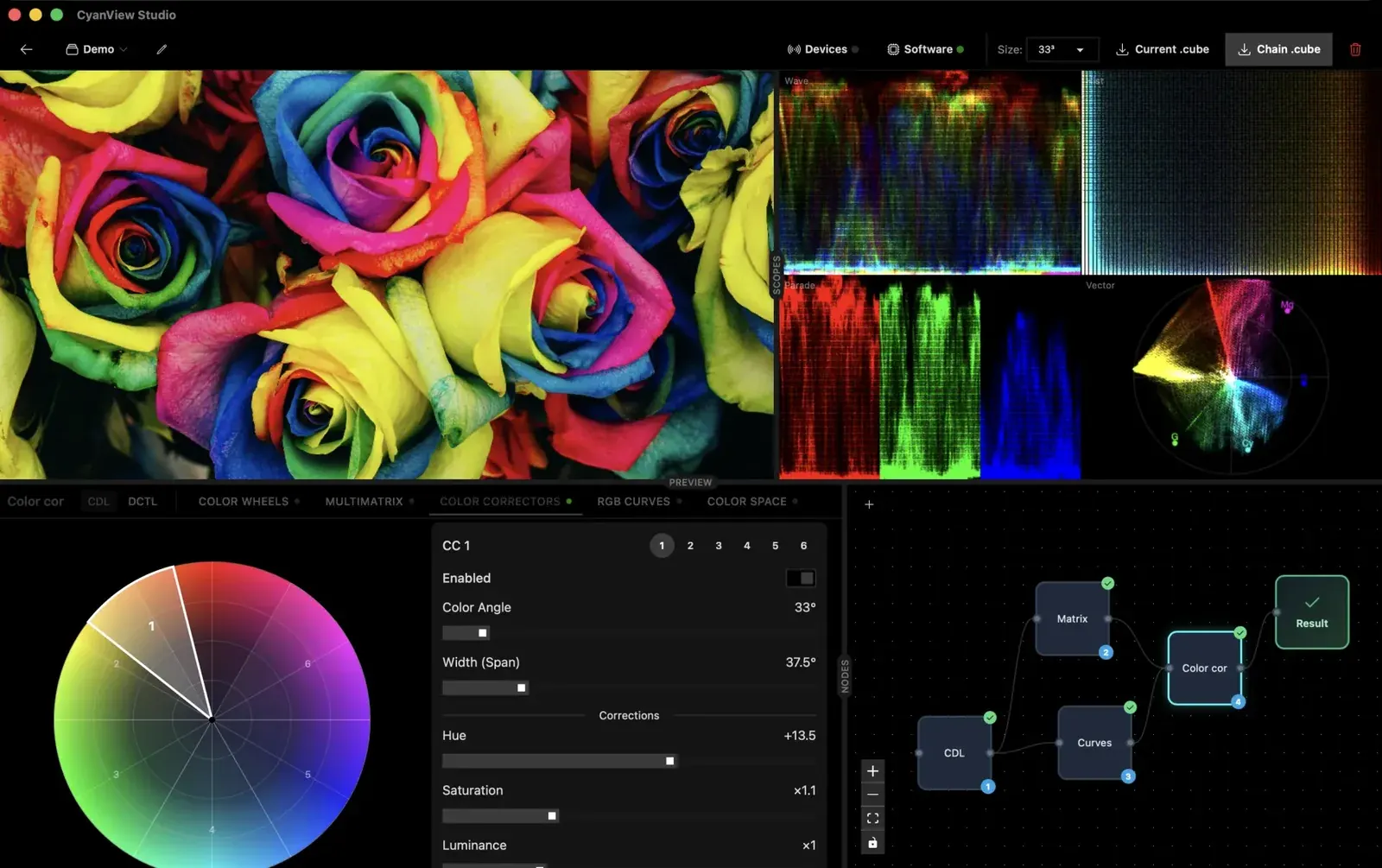
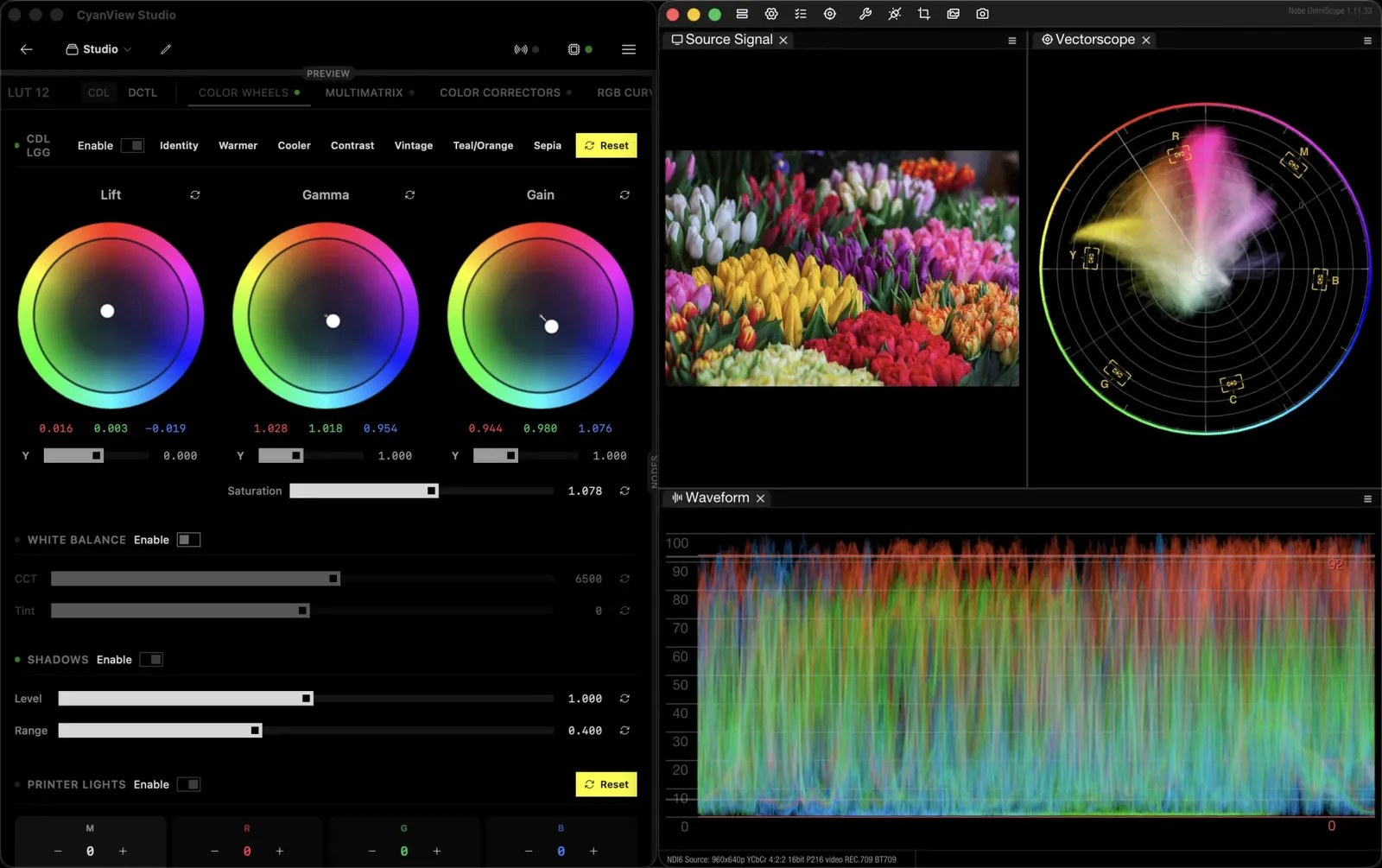
- Two grading models: ASC-CDL color wheels (Slope / Offset / Power) and broadcast-style Primaries (Black / Gamma / Gain wheels) for camera-native shading.
- Multimatrix hue and saturation correction in 32 sectors.
- Six independent, hue-keyed color correctors.
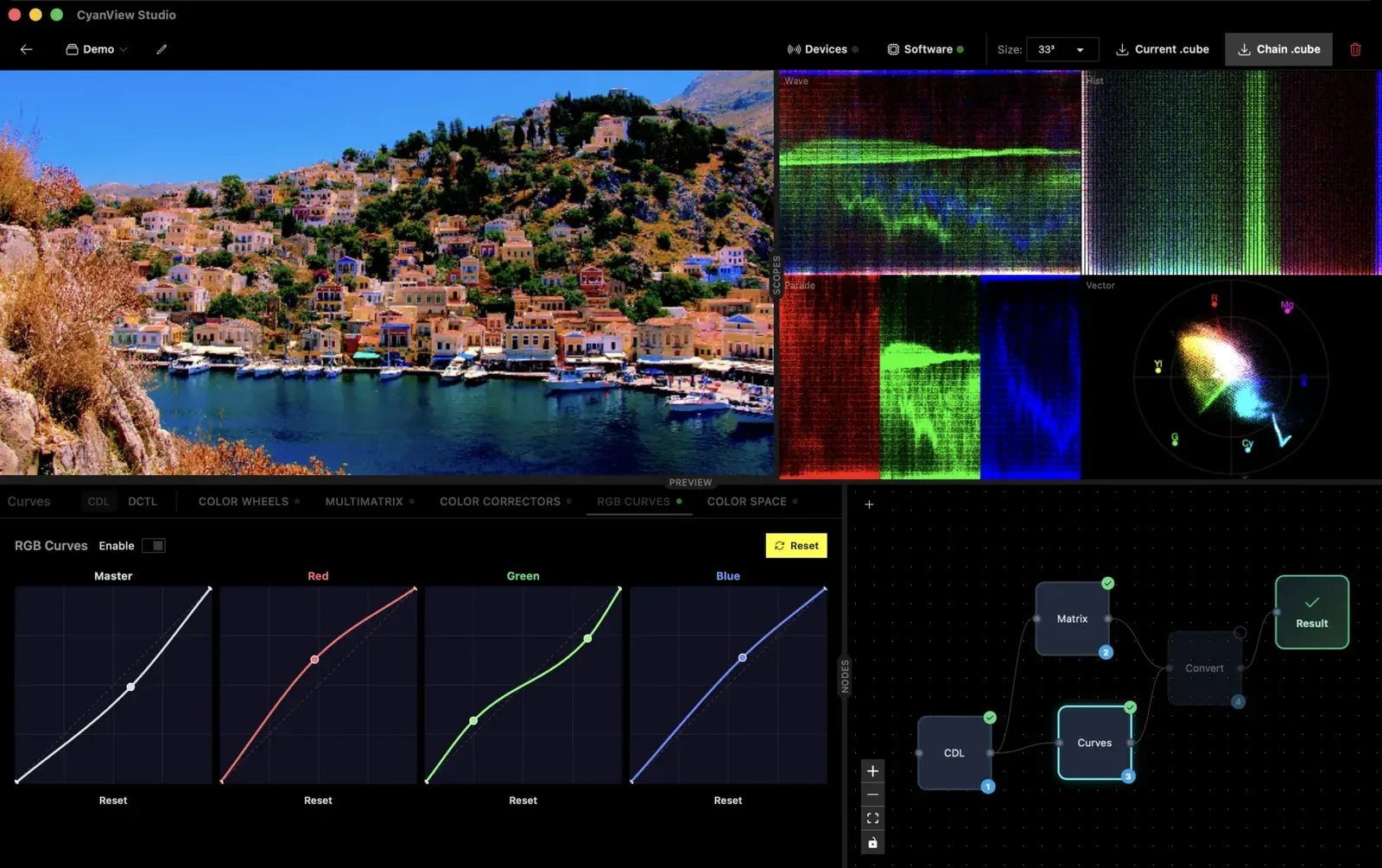
- RGB curves with monotone cubic Hermite interpolation.
- GPU-accelerated scopes: waveform, vectorscope, parade and histogram.
04 DCTL support
- Import DaVinci Color Transform Language (DCTL) scripts and compile them into standard 3D LUTs.
- The result works as a processing node in the node graph.
- Real-time preview, export as .cube, or streaming directly to hardware.
05 NDI output and external scopes
- Send the live picture over NDI and monitor it anywhere on the network.
- NobeOmniScope reads waveform, vectorscope, histogram and parade from the NDI feed with no extra hardware. ScopeBox by Hedge is also supported.
06 OpenFX host (live video processing)
- Run OpenFX plugin chains on live SDI in real time on the GPU.
- Use the engine built into Studio, or scale out with headless FXVP nodes (dedicated Mac minis that take SDI in, render the OFX chain and output SDI).
- FXVP nodes restore their last pipeline after a power cycle and are fully controlled from Studio over the network.
Editions
There are three editions: Dashboard, Studio and LiveLab. Each includes everything in the previous one. Studio adds shading and monitoring, and LiveLab adds live processing and post-production workflow.
| Feature | Dashboard | Studio | LiveLab |
|---|---|---|---|
| Dashboard and control | |||
| Camera dashboard (real-time control of multiple RCPs and RIOs) | ✓ | ✓ | ✓ |
| Custom dashboards, control pages and camera groups | ✓ | ✓ | ✓ |
| Macros and macro pad | ✓ | ✓ | ✓ |
| Direct REMI connection (RIOs and CyanCamera app) | ✓ | ✓ | ✓ |
| Internet gateway for RCPs on closed LANs | ✓ | ✓ | ✓ |
| Shading and monitoring | |||
| Live shading via LUT boxes (AJA, VP4, BoxIO, CyanCamera app; openGear planned) | – | ✓ | ✓ |
| Full shading toolset (primaries, curves, color warper, printer lights, CDL) | – | ✓ | ✓ |
| Camera value snapshots | – | ✓ | ✓ |
| 3D LUT import and export (17/33/65, .cube and .3dl) | – | ✓ | ✓ |
| Built-in scopes, NDI in and out, detachable scopes and fullscreen preview | – | ✓ | ✓ |
| DeckLink capture and SDI output | – | ✓ | ✓ |
| Live processing and post-production | |||
| DCTL support (live parameter adjustment) | – | – | ✓ |
| Reference charts and clip playback | – | – | ✓ |
| Live LUT push and receive with DaVinci Resolve | – | – | ✓ |
| OpenFX plugin host (CPU or GPU), live GPU effects, live plugin chains (reorder and tweak during the show) | – | – | ✓ |
| Add-on | |||
| FXVP headless nodes (cy-fxvp servers, licensed per node) | – | Add-on | Add-on |
* The processing engine built into the application on your computer is included in every edition.
Availability and Pricing
- Platforms: macOS and Windows
- Cyanview is currently accepting requests for early access.
- For pricing and licensing, please contact us.
Related Products and Links
- CyanCamera — an app that turns a smartphone into a live production camera
- RCP / RIO
- Cyanview products
- Cyanview Studio official website

