Camera IP Interface
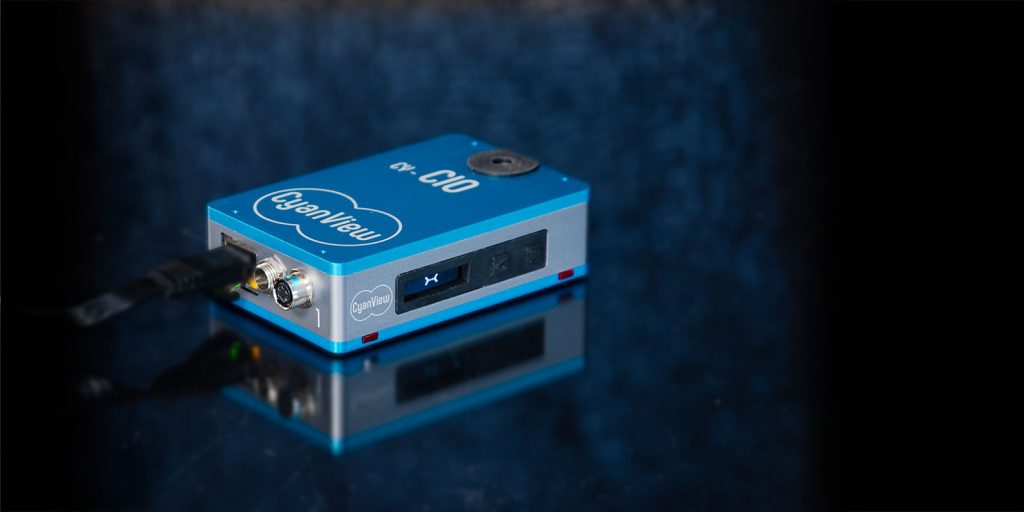
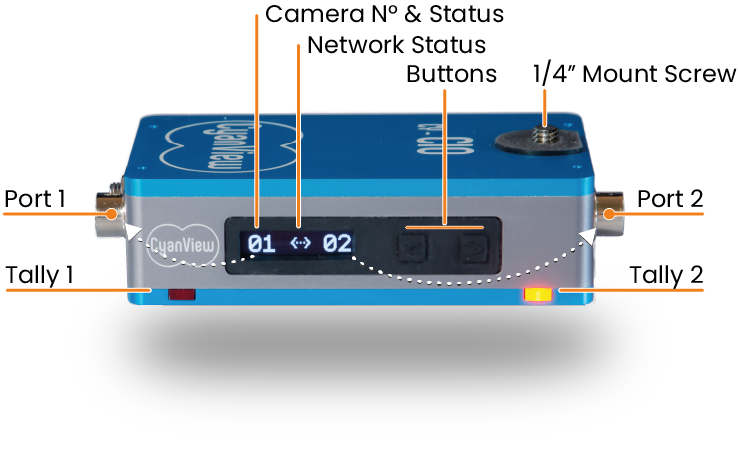
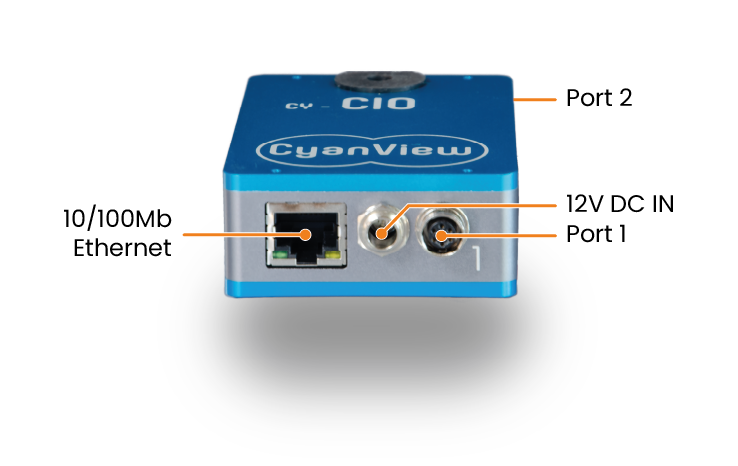
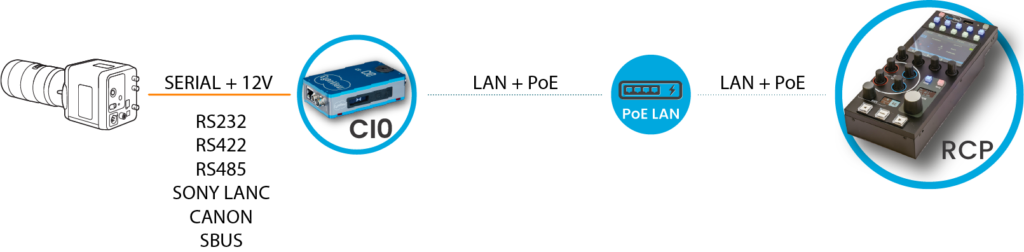
CY-CI0 provides multiple flexible ports to interface serial based or analog based equipment over IP. It makes any non-IP camera or equipment discoverable and usable on IP networks using current workflows. The CI0 features 2 multi-protocol ports compatible with any serial based camera, including Sony legacy and LANC. A wide range of cables are available for most cameras.
GPIOs are commonly used to convey tally signals and power LEDs. Other protocols are supported as well as they come handy in the specialty camera market, such as S.BUS for interfacing Gimbals.
An optional 3rd port provides even more extension possibilities with some active cables providing features like analog output to directly drive legacy Pan & Tilt analog heads.
Plug the CI0 and RCP on the same network and they will automatically discover each other. Add the camera in the configuration, select which CI0 port you connected the camera to everything else gets configured automatically.
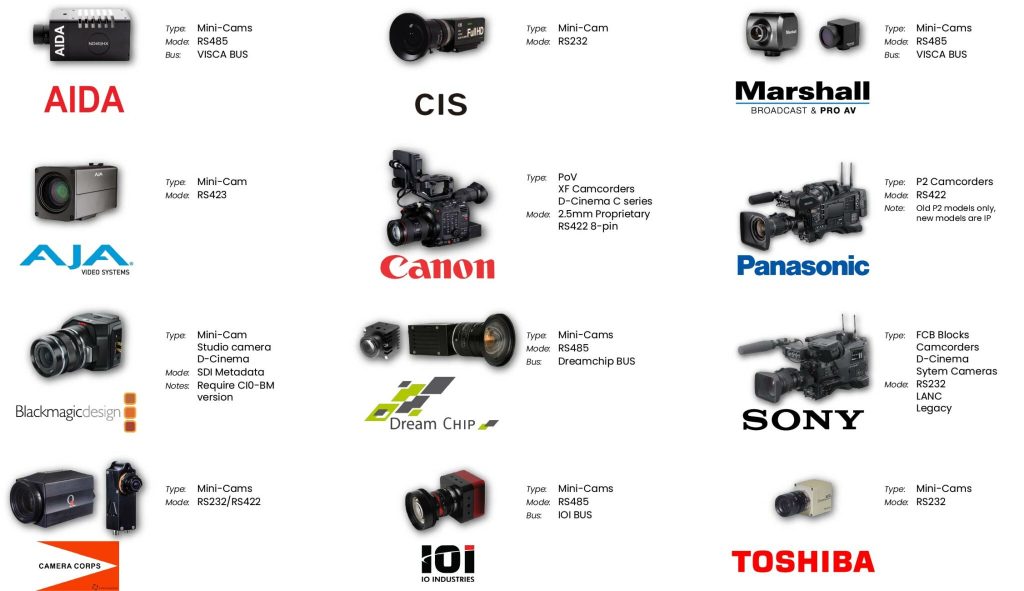
The following cameras are all plug and play using a CI0 interface: use the right cable and select the right model in the configuration UI.
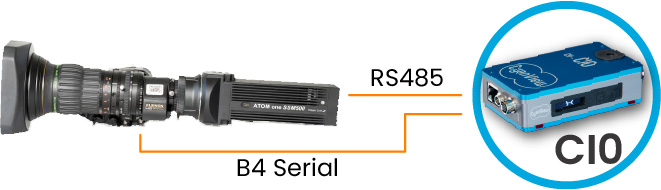
Both Canon and Fujinon lenses are fully supporte by the CI0 with power and data provided by a single port. The second port is typically used for camera shading.
Iris, zoom and focus can be accessed remotely from the RCP or from supported joystick panels.
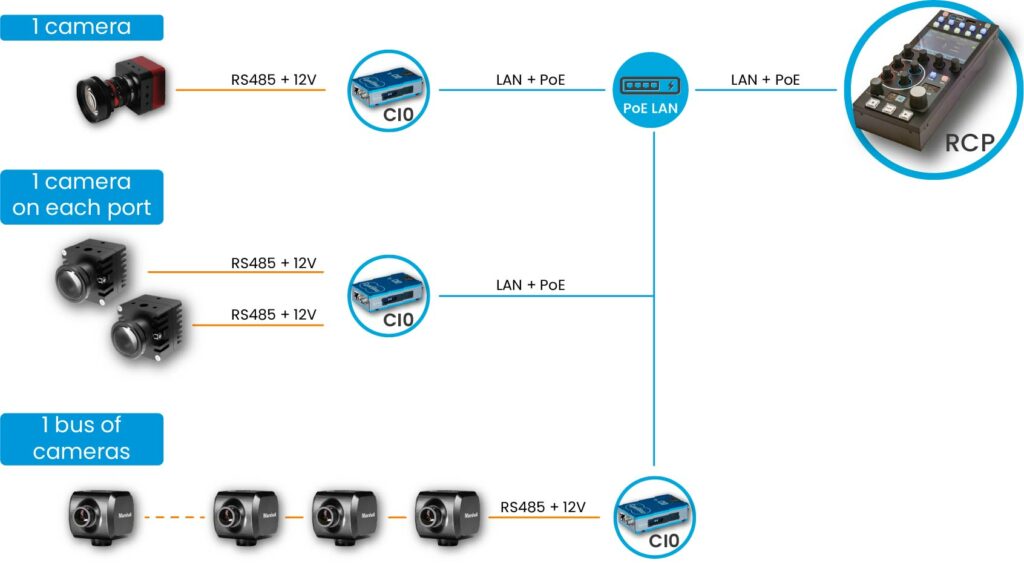
The CI0 can typically connect one camera on each although most workflows will use one camera only. For RS485 low level protocols, the CI0 will support a camera bus and allows multiple cameras to be connected to the same port, each having a different bus ID.
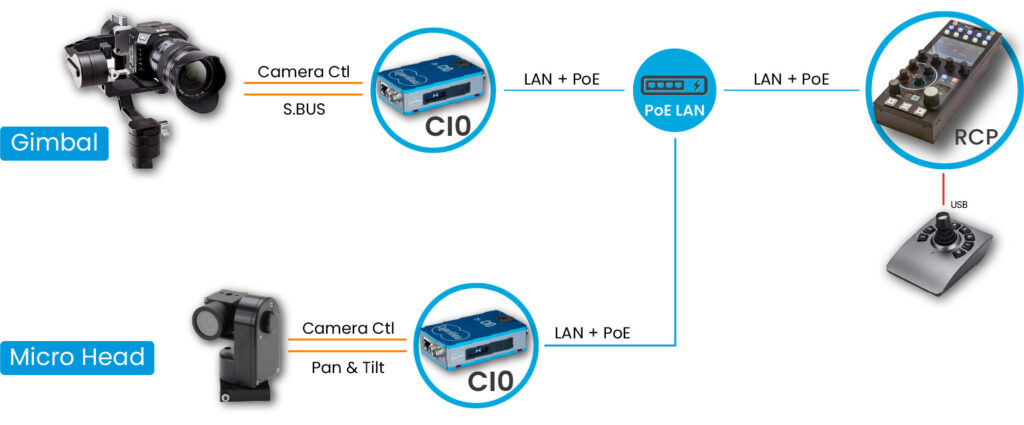
Gimbals such as the DJI Ronin-S/SC can be controlled with pan, tilt and roll over a CI0 port configured in S.BUS. The second port typically handles camera shading.
Other Pan & Tilt heads are supported such as the Micro-L from Bradley, VISCA heads such as Rushworks or Egripment Minishot/Microshot using the 3 port version of the CI0 and the multi-channel DAC active cable.
Support for more robotic components will be added in the future.
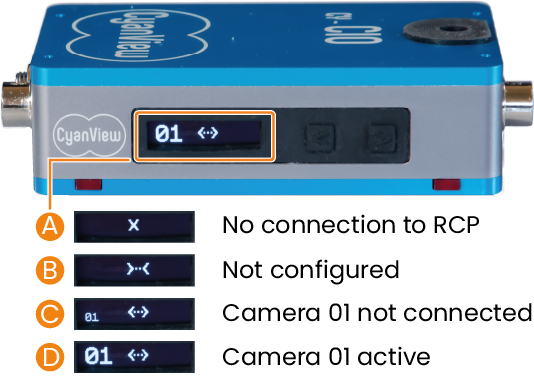
Get instant feedback on the CI0 / RCP connection status and camera control status. As soon as you plug, you’ll know if the camera is ready to be operated remotely.